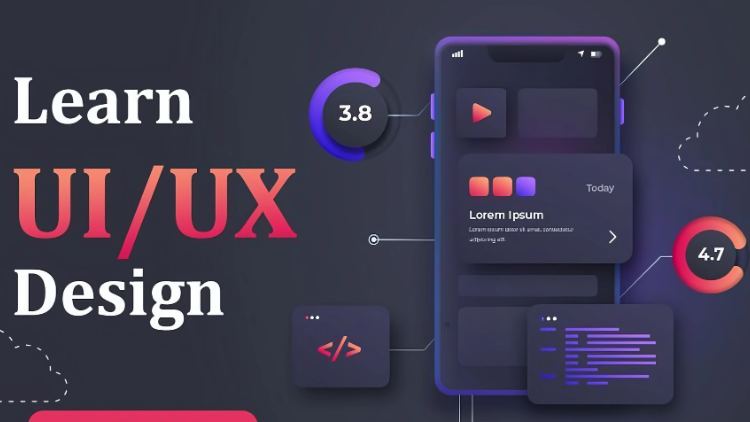
User Experience Design - Learn UI UX App Design with Figma

- Description
- Curriculum
- Notice
- Reviews
Requirements
-
A computer/laptop with access to the Internet.
-
A Figma account. A free plan is available on the Figma website.
-
No previous UX Design/UI Design experience is needed.
-
No previous Figma skills are needed.
Description
Ready to launch your UI UX app design journey or take your skills to the next level? This class is your rocket fuel!
We’re ditching dry theory and jumping right into pixel-perfect reality. Turn your vision into a stunning mobile app, one pixel at a time.
Here’s what you’ll master:
-
The importance of wireframes and prototypes in the early stages of the design process.
-
How to use the Figma design tool.
-
How to design low-fidelity wireframes.
-
How to design high-fidelity mockups.
-
How to create interactive prototypes.
-
Visual design fundamentals: Master color psychology, the 60-30-10 rule, select font that enhances readability and brand identity, and iconography.
-
Organization: Keep everything neat, finding what you need in a flash.
-
UX principles and laws: Build user-centered apps that anticipate needs and solve real problems.
-
UI design: build high-fidelity mockup and prototype by following best practices.
Who’s this class for?
Anyone who wants to learn the A-Z of creating wireframes and low-fidelity prototypes. then turn them to high-fidelity mockups and interactive prototypes! No prior experience is needed, just a passion for creating amazing apps.
Your co-pilot on this journey? Me! We’ll craft a delicious food-ordering app together, mastering UX/UI principles along the way. By the end, you’ll be ready to conquer any app you dream of.
Benefits? Buckle up!
-
Master visual design and UX principles: From colors and fonts to user journeys, you’ll build a rock-solid foundation.
-
Craft stunning high-fidelity mockups and prototypes: Say hello to your future portfolio!
-
Become a user-centered design champion: Build apps that truly solve problems and make life easier.
What are the requirements for taking this class?
-
A computer/laptop with access to the Internet.
-
A Figma account.
Ready to launch your UI/UX design journey? Let’s get started!
Who this course is for:
-
Anyone who like to become a UI/UX designer
-
Anyone who wants to start using Figma in their career & get paid for their user experience design skills.
-
Anyone who wants to learn the basics of wireframes and low-fidelity prototypes
-
Anyone who wants to learn the A-Z of building high-fidelity mockups and interactive prototypes!
-
1
 Welcome to UX UI App Design Course
 -
2
Introduction to wireframes
-
3
Introduction to prototype and different between wireframe and prototype
-
4
Figma Introduction
-
5
Design first wireframe for Gmail app
-
6
Design second wireframe for YouTube Studio app
-
7
Design third wireframe for Instagram
-
8
Design fourth wireframe for Linkedin
-
9
Intro to design wireframe for food delivery app
-
10
Design home page wireframe for food delivery app
-
11
Design search page wireframe for food delivery app
-
12
Design single food page for food delivery app
-
13
Build cart page for food delivery app
-
14
Build order confirm popup for food delivery app
-
15
Design add to cart popup for food delivery app
-
16
Do final touch up to wireframe before convert to prototype
-
17
Create prototype of food delivery app - Part 01
-
18
Create prototype of food delivery app - Part 02
-
19
Test food delivery app prototype
-
20
Assignment details
-
21
Introduction to UX Visual Design
-
22
Selecting Colors Using Color Psychology
-
23
Selecting a Primary Color
-
24
The 60-30-10 Rule
-
25
Creating the Color Palette
-
26
Color Accessibility Check
-
27
Bonus Lecture - Easy Ways to Select Colors
-
28
Fundamentals of Typography
-
29
Message and Emotion in Typography
-
30
How to Use the Google Fonts Website
-
31
Selecting Fonts for a New Food Delivery App
-
32
Iconography
-
33
Design System
-
34
UX Principles and Laws
-
35
Information Architecture (IA)
-
36
Creating a Figma Account
-
37
Grid Layout
-
38
Auto Layout Basics
-
39
Designing a Brand Logo
-
40
Sticker Sheet
-
41
Hi-Fi Mockups Introduction
-
42
Designing the Header
-
43
43.Improving the Header
-
44
All About Components
-
45
Designing the Search Box
-
46
Q&A Auto layout explained
-
47
Designing the Category Section
-
48
Adding Content to Categories
-
49
Designing Popular Foods Section
-
50
Making Changes to Food Item Component
-
51
Adding Content for Food Items
-
52
Designing Recommended Foods Section
-
53
Designing Search Page
-
54
Designing Search Results Section
-
55
Pro Tip to Improve UI Design Skills
-
56
Designing Single Food Page
-
57
Designing Dollar Amount Preview and Star Rating
-
58
Creating Count Controller and Adding to Cart Button
-
59
Adding Description Section
-
60
Creating Reviews Section
-
61
Designing Cart Page
-
62
Changing My Cart Design
-
63
Designing Cart Items Summary Section
-
64
Adding Content to the My Cart Section
-
65
Designing Cart Page - Part 05
-
66
Designing Cart Page - Part 06
-
67
Fixing UIUX Issues in the Design
-
68
Designing Footer Menu
-
69
Prototype Introduction
-
70
How to Use the Prototype Tab to Make Design Interactive
-
71
Prototyping - Part 2
-
72
Making Carousel Scroll
-
73
Adding Footer Menu to Frames
-
74
Adding Connection to Popup
-
75
Adding Horizontal Scrolling to Review Section
-
76
Making the Search Box Interactive
-
77
Using Variables to Remove Cart Items
-
78
Assignment and Thank you!
What you'll learn
Become a Successful UI/UX designer.
- Visual design fundamentals: Master color psychology, the 60-30-10 rule, select font that enhances readability and brand identity, and iconography.
- Organization: Keep everything neat, finding what you need in a flash.
- UX principles and laws: Build user-centered apps that anticipate needs and solve real problems.
- Learn to design wireframes and low fidelity prototypes
- Learn to build high-fidelity mockup and prototype by following best practices.
- How to use Figma for Essential UX Design & UI Design
- Test your abilities with an online quiz.
- Earn a verified certificate to enhance your professional profile.