AutoCAD 3D From Basics to Advanced Modelling

- Description
- Curriculum
- Notice
- Reviews
Course Description
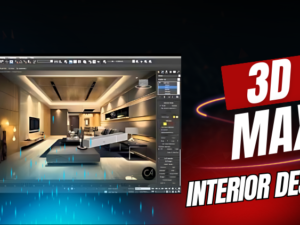
This masterclass is a complete professional guide to the world of architectural visualization, taking you from raw blueprints to photorealistic 3D renders. You will master the industry-standard 3ds Max toolset to architect complex interior and exterior spaces, learning how to build high-detail furniture and structural models from scratch. The curriculum focuses on the science of light and materiality, teaching you to create physically accurate textures and complex lighting setups that mimic real-world environments. By the end of this course, you will be capable of producing high-resolution, portfolio-ready visualizations and walkthroughs that bridge the gap between architectural concept and stunning reality.
Course Outline: 3ds Max Architectural & Interior Designing
Module 1: Interface & Project Setup
-
Workflow Optimization: Customizing the 3ds Max workspace and configuring units for architectural precision.
-
Importing CAD Data: Bringing in AutoCAD drawings or Revit files as blueprints for 3D construction.
-
Viewport Navigation: Mastering coordinate systems, snaps, and transformation tools (Move, Rotate, Scale).
Module 2: Advanced 3D Modeling (Interior & Exterior)
-
Architectural Foundations: Modeling walls, floors, ceilings, and windows from 2D splines.
-
Furniture & Asset Creation: Using “Editable Poly” and “Modifiers” (Bend, Taper, Extrude) to create detailed 3D furniture.
-
Compound Objects: mastering Booleans and Pro-Booleans for cutting openings and complex structural geometry.
-
Interior Detailing: Adding moldings, trims, and architectural accents for a realistic look.
Module 3: Texturing & Material Design
-
Material Editor Mastery: Navigating the Slate and Compact material editors.
-
Real-World Surfaces: Creating realistic shaders for wood, glass, marble, metals, and textiles.
-
UV Mapping: Using the “UVW Map” and “Unwrap UVW” modifiers to ensure textures wrap perfectly around complex 3D objects.
-
PBR Workflows: Understanding reflection, bump, and opacity maps for high-fidelity surfaces.
Module 4: Lighting & Camera Composition
-
Natural Lighting: Setting up Daylight systems (Sun/Sky) for realistic interior and exterior daytime scenes.
-
Artificial Lighting: Implementing Photometric lights, IES lights, and area lights for nighttime and mood lighting.
-
Camera Setup: Using Physical Cameras to control focal length, depth of field, and exposure.
-
Composition Rules: Framing shots to highlight key architectural features.
Module 5: Rendering & Visualization (V-Ray/Arnold)
-
Rendering Engines: Configuring global illumination and ambient occlusion for professional output.
-
Interior Rendering: Handling light bounces in enclosed spaces to eliminate noise and artifacts.
-
Final Output: Batch rendering high-resolution stills for portfolios.
-
Walkthrough Animations: Setting up camera paths to create 3D video tours of the designed spaces.
Who this course is for:
-
Beginners in 3D Design: Ideal for those new to AutoCAD 3D, starting with basics and progressing.
-
Students & Academics: Perfect for architecture, engineering, and design students.
-
Professionals Upgrading Skills: For current professionals looking to enhance their 3D modeling skills.
-
Hobbyists & DIY Enthusiasts: Suitable for personal projects, 3D printing, and home design endeavors.
-
Aspiring Designers & Architects: Those looking to enter the field with strong 3D design foundations.
-
Creative Minds: Individuals interested in exploring the possibilities of 3D design and modeling.
-
1
 Introduction to AutoCAD 3D
 -
2
Comparison between 2D and 3D design
-
3
Basic concepts and principles of 3D design
-
4
Customizing the user interface for 3D design
-
5
Setting up the display and visual style
-
6
Understanding and configuring the coordinate system
-
7
Creating basic 3D objects (box, sphere, cylinder, etc)
-
8
Using the solid editing tools to modify 3D objects
-
9
Working with 3D Meshes
-
10
3D Surface Modelling Basics
-
11
Creating 3D models from 2D objects
-
12
Extruding and lofting objects to create 3D models
-
13
Creating revolved and swept objects
-
14
Designing a Gear Using Parametric Methods
-
15
Hex Bolt and Nut Design with Thread Modelling
-
16
Designing Walls, Windows and Doors
-
17
Placing 3D Windows and Door frames with Shutters
-
18
Adding Foundation and Floor to House Model
-
19
Adding Ceiling and Roof to House Model
-
20
Using the sectioning tools to create cross sections and 3D views
-
21
Applying Textures to 3D objects
-
22
Editing Material and Texture Properties of a 3D House Model
-
23
Principles of Lightings in 3D Space
-
24
Adding Lights to a 3D House Model
-
25
Generating 2D Drawings from 3D Model
-
26
Annotating and Dimensioning Drawing for Documentation
-
27
Creating Renderings and Walkthrough Animations
What you'll learn
-
Understand 3D Design Principles: Grasp fundamental 3D design concepts and comparison with 2D.
-
Optimize Workspace Setup: Learn to configure display, visual styles, and coordinate systems.
-
Utilize Solid Editing Tools: Gain skills in modifying 3D objects with advanced editing options.
-
Explore 3D Surface Modeling: Delve into basic 3D surface modeling techniques and applications.
-
Implement Advanced Modeling: Master lofting, extruding, and parametric methods for complex designs.
-
Design Architectural Elements: Create detailed 3D house models, including walls, windows, and roofs.
-
Enhance Models with Textures: Apply and edit materials and textures for realistic visual effects.
-
Illuminate 3D Spaces: Understand lighting principles and apply them to 3D models for realism.
-
Produce Professional Documentation: Annotate, dimension, and create comprehensive 2D drawings.
-
Create Engaging Presentations: Develop skills in rendering and animating for impactful presentations.
-
Prepare for Real-World Applications: Equip yourself for practical applications in various professional field.
-
Test your abilities with an online quiz.
-
Earn a verified certificate to enhance your professional profile.