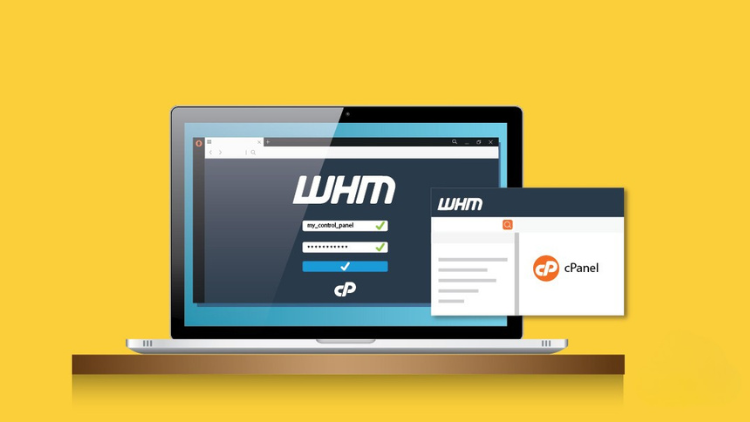
WHM CPanel Tutorial - Learn to host websites with cPanel WHM

- Description
- Curriculum
- Notice
- Reviews
Requirements
-
You will need internet connectivity to get started.
-
A little familiarity with Linux is encouraged.
-
Access to a computer to enable SSH access to your cloud server
Description
This course provides a comprehensive, hands-on guide to mastering web hosting through WHM (Web Host Manager) and cPanel, taking you from server deployment to professional site management. You will start by learning how to deploy and configure a Linux server, install the WHM control panel, and implement essential security protocols to protect your hosting environment. Throughout the lessons, you will gain practical skills in managing multiple client accounts, configuring private nameservers, and using the WordPress Toolkit for efficient website deployment. Whether you aim to start your own hosting business or manage your own portfolio of sites, this course equips you with the technical expertise needed to handle DNS, server hostnames, and professional web hosting infrastructure with confidence.
Course Outline:
Course Overview
This course is designed for beginners who want to master web hosting management using WHM (Web Host Manager) and cPanel. It covers the entire journey from deploying a Linux server to hosting and securing multiple websites.
-
Total Duration: ~2 Hours (On-demand video)
-
Lessons: 10 Lectures
-
Level: Beginner
Course Outline
Module 1: Introduction & Environment Setup
-
1. Welcome to WHM cPanel Tutorial
-
Course introduction and learning objectives.
-
-
2. Deploying the Linux Server
-
Choosing a cloud provider and deploying a Linux instance.
-
Updating the server environment.
-
Adding a hostname to Cloudflare for DNS management.
-
-
3. Course Guidelines & Support
-
Understanding the free course rules.
-
How to get help with server or control panel setup.
-
Module 2: Installation & Security
-
4. Installing cPanel & WHM
-
Step-by-step installation process via SSH.
-
Initial configuration of the Web Host Manager.
-
-
5. Security Setup
-
Essential security configurations to protect your server.
-
Hardening the environment against common threats.
-
Module 3: Website Management & Automation
-
6. Managing Accounts in WHM
-
How to create cPanel user accounts.
-
Managing resources and permissions for clients.
-
-
7. Hosting Websites with WordPress Toolkit
-
Adding a website to your WHM server.
-
Using the WP Toolkit for automated WordPress installations and management.
-
-
8. Server Hostname Management
-
Configuring and managing the cPanel server hostname.
-
Module 4: DNS & Advanced Networking
-
9. Nameserver Configuration
-
Setting up Personal or Private Nameservers (e.g.,
ns1.yourdomain.com). -
Linking your domain registrar to your WHM server.
-
-
10. DNS Management
-
Working with DNS zones within WHM/cPanel.
-
What You Will Learn
-
Server Deployment: How to set up a Linux server specifically for hosting.
-
WHM Administration: Managing multiple hosting accounts and server-wide settings.
-
cPanel Operations: File management, email setup, and database handling for end-users.
-
Security: Best practices for securing a hosting environment.
-
Domain Management: Handling DNS, private nameservers, and subdomains.
Requirements
-
Active internet connection.
-
Basic familiarity with Linux (encouraged but not mandatory).
-
A computer with SSH access capability.
Certification
Upon completion, students are eligible for a verified certificate to enhance their professional profile.
Who this course is for:
-
Anyone who would like to learn how to use WHM/cPanel
-
1
 Welcome to WHM CPanel tutorial
 -
2
Deploy Linux Server , update and add hostname to Cloudflare
-
3
Free course rules
-
4
Need support Get help setting up Linux server or Control panel
-
5
Installing cPanel WHM
-
6
Security setup
-
7
More support
-
8
WHM create cPanel user, add website with WP toolkit
-
9
cPanel server hostname
-
10
WHM cPanel setting up personal or private nameservers
What you'll learn
-
How to deploy a Linux server for installing cPanel WHM
-
How to set up Linux server, install and secure WHM cPanel server
-
How to host websites on cPanel
-
How to work with DNS in WHM/CPanel
-
How to Work with WHM cPanel
-
Test your abilities with an online quiz.
-
Earn a verified certificate to enhance your professional profile.